
Teton Valley Health Clinic uses Simple Practice to manage your appointments and health records.
The easiest way to schedule appointments? Use the app on your smartphone
Getting Started:
Step 1: If you are new to using Simple Practice, Choose “I am new patient”, choose your appointment type, and enter the requested contact information.
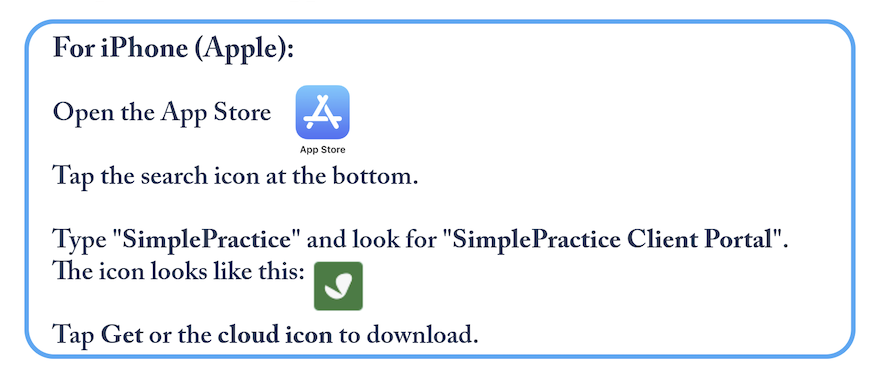
Step 2: Download the app:

Step 3: Look for the welcome email from Teton Valley Health Clinic in your inbox. Once you receive the email, you can now log in to the Simple Practice app and request an appointment.
Simple Practice uses login links, no passwords!
Need Help?
If you have any trouble, we're happy to help!
Call us at 307-734-8044 we will respond as soon as we can, usually within 24 hours.